
Writing PL/pgSQL Functions
Introduction
PostgreSQL is more than a RDBMS engine. It is a developing platform. It provides
a very powerful and flexible programming language called PL/pgSQL. Using this
language you can write your own user-defined functions to achieve abstraction
levels and procedural calculations that would be difficult to achieve with plain
SQL (and sometimes impossible to achieve without context-switching with the
application).
Writing functions
In the public schema, right-click the Functions node and click on Create
Function. It will open a SQL Query inner tab, already containing a SQL
Template to help you create your first PL/pgSQL function.
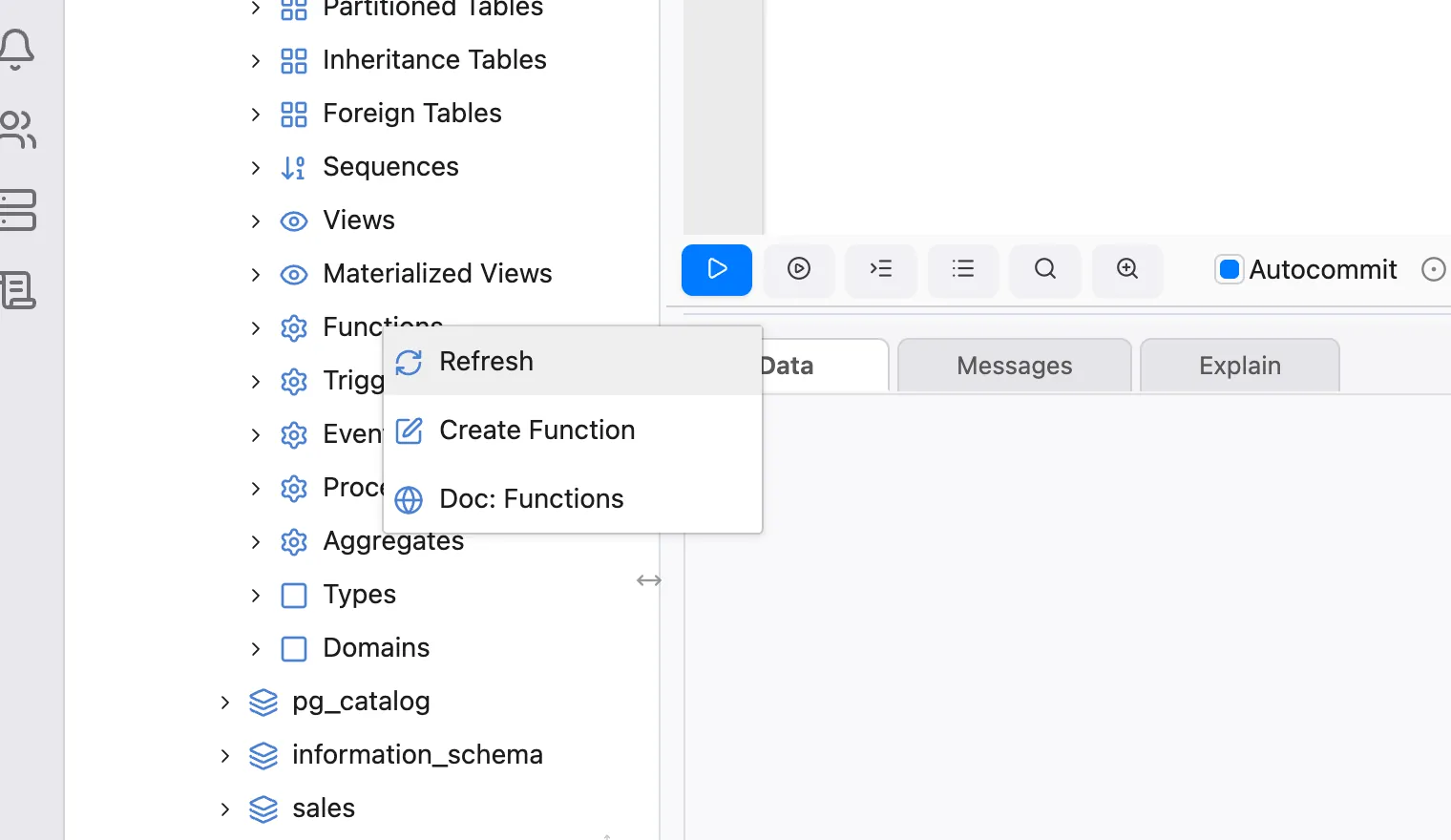
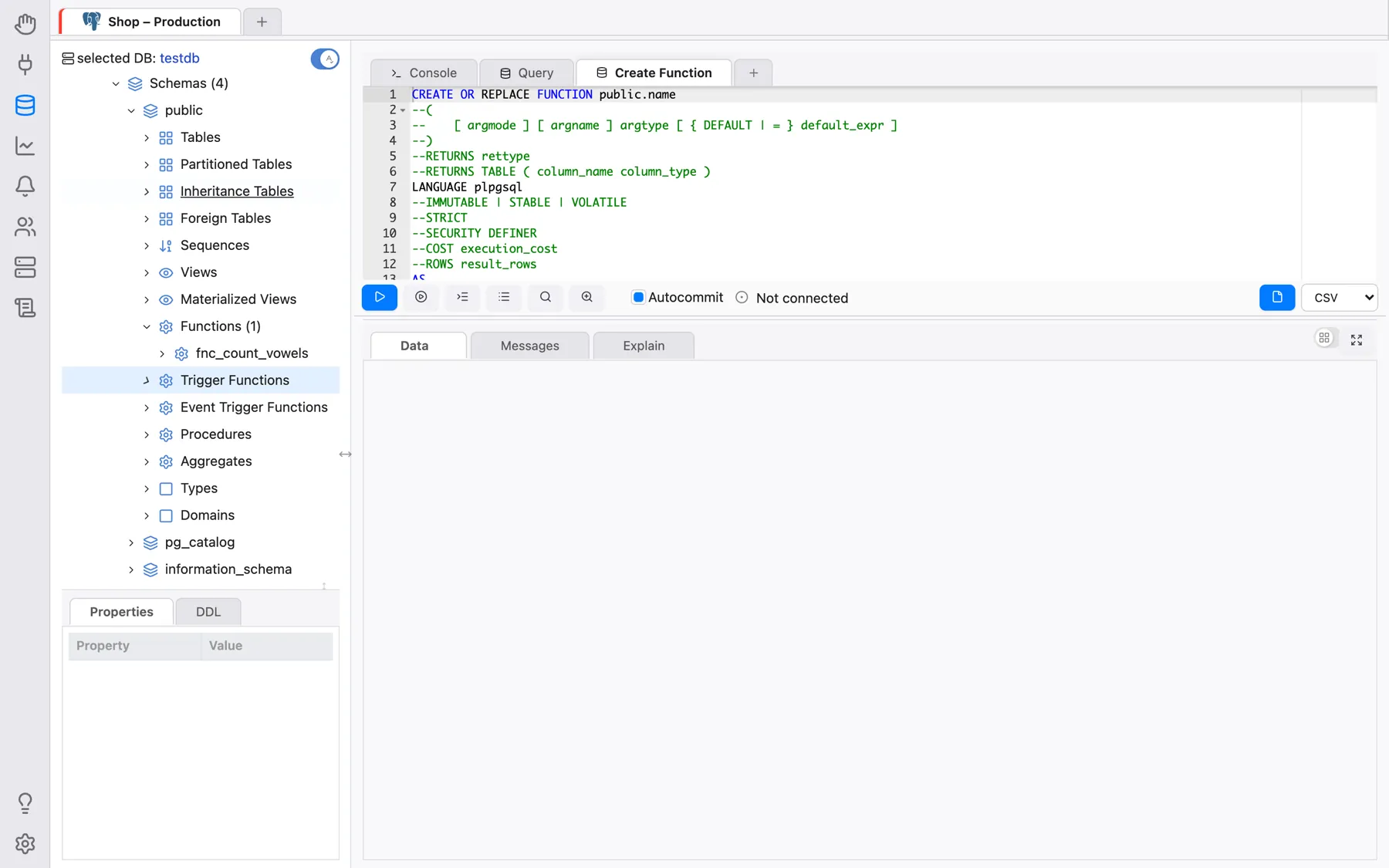
You can refer to PostgreSQL documentation on how to write user-defined functions. Just right-click the Functions node and click on Doc: Functions — the relevant PostgreSQL documentation page opens in your web browser (the system’s default browser in the desktop app, or a new tab when running as a browser-based OmniDB Server).
For now, let us replace this SQL template entirely for the source code below:
CREATE OR REPLACE FUNCTION public.fnc_count_vowels (p_input text)
RETURNS integer LANGUAGE plpgsql AS
$function$
DECLARE
  str text;
  ret integer;
  i   integer;
  len integer;
BEGIN
  str := upper(p_input);
  ret := 0;
  i := 1;
  len := length(p_input);
  WHILE i <= len LOOP
    IF substr(str, i, 1) in ('A', 'E', 'I', 'O', 'U') THEN
      ret := ret + 1;
    END IF;
    i := i + 1;
  END LOOP;
  RETURN ret;
END;
$function$
This will create a function called fnc_count_vowels inside the schema
public. This function takes a text argument called p_input and counts how
many vowels there are in this string. Then returns this count.
To create the function, execute the command in the SQL Query inner tab. If successful, the function will appear under the Functions tree node (you can refresh it by right-clicking and then clicking in Refresh). By expanding the function node as well, you can see its return type and its argument.
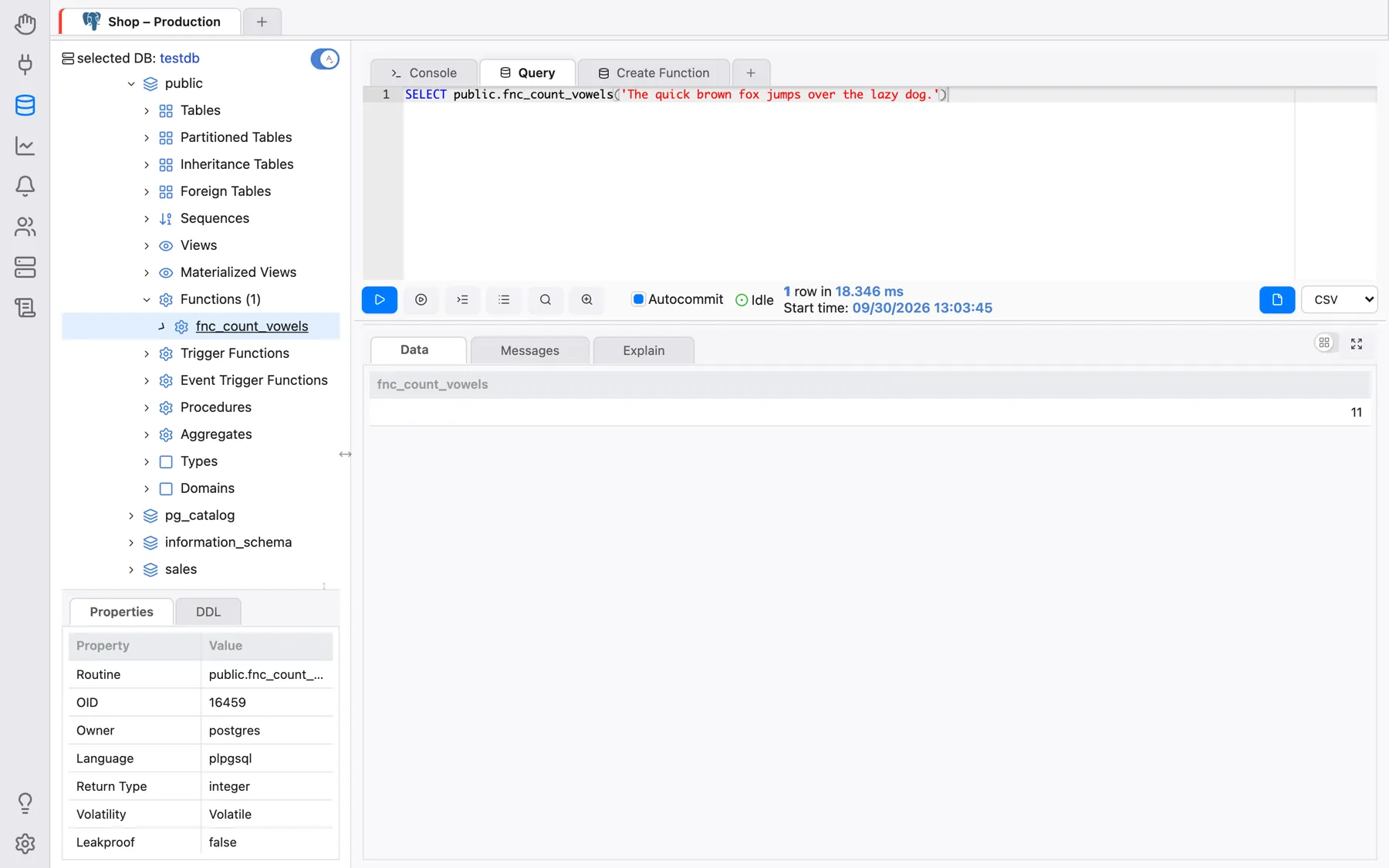
Now let us execute this new function for the first time. Open a simple SQL Query inner tab and execute the following SQL query:
SELECT public.fnc_count_vowels('The quick brown fox jumps over the lazy dog.')
Note how the query returns a single value, containing the number of vowels in the text.
By right-clicking the function node, you can see there are actions to edit, select and drop it. As you probably guessed, each action will open SQL Query inner tabs with handy SQL templates in them.