

Notify
The Notify section listens for asynchronous notifications that sessions send through the database itself, and shows them as they arrive:
- PostgreSQL:
LISTEN/NOTIFY; - Oracle:
DBMS_ALERT; - Firebird: events (
POST_EVENT).
MySQL, MariaDB, SQL Server and SQLite have no equivalent; for them the section says NOTIFY-style channels are not supported for … connections. instead of hiding the feature.
Opening the section
Click the Notify icon in the left rail. The section shares the strip of open connection tabs with the Database section — select a tab to see that connection's channels and messages. With no connection open it shows No connection open. and asks you to open one in the Database panel first.
Listening does not depend on the Notify section being visible: as soon as a connection is opened in the Database section, OmniDB starts listening on its saved channels (over a separate, dedicated connection, so it never interferes with your Query or Console tabs), and it stops when that connection tab is closed.
Channels
The left side of the section is a tree with a Channels root. To add a channel, click + below the tree (or right-click the tree → Add Channel), type the Channel Name and press Enter. OmniDB starts listening on it immediately. Oracle alert names are limited to 30 bytes, Firebird event names to 255.
Right-click a channel for:
- Pause / Resume — stop or restart listening on that channel (a paused channel shows a crossed-out bell);
- Clear Messages — remove that channel's messages from the list;
- Delete — remove the channel (also available as − below the tree), after confirmation. Its messages are removed too.
Channels and their paused/active state are saved per OmniDB user and per connection, so they come back after a restart. PostgreSQL channel names are used as quoted, case-sensitive identifiers.
Messages
Received messages appear on the right in a table with the columns Channel, Time (when OmniDB received it) and Payload. Firebird events carry no payload, so for them Payload shows how many times the event was posted.
The row of checkboxes above the table filters the list: All channels, or only the channels you tick. Clear All empties the whole list.
Messages are kept only in the browser (or desktop window) that received them: they are not stored anywhere and are gone after a page reload.
If messages arrive faster than the page consumes them, OmniDB stops listening rather than letting them pile up without limit; it also stops if the listening connection fails. In both cases a banner explains why, with a Restart Listening button.
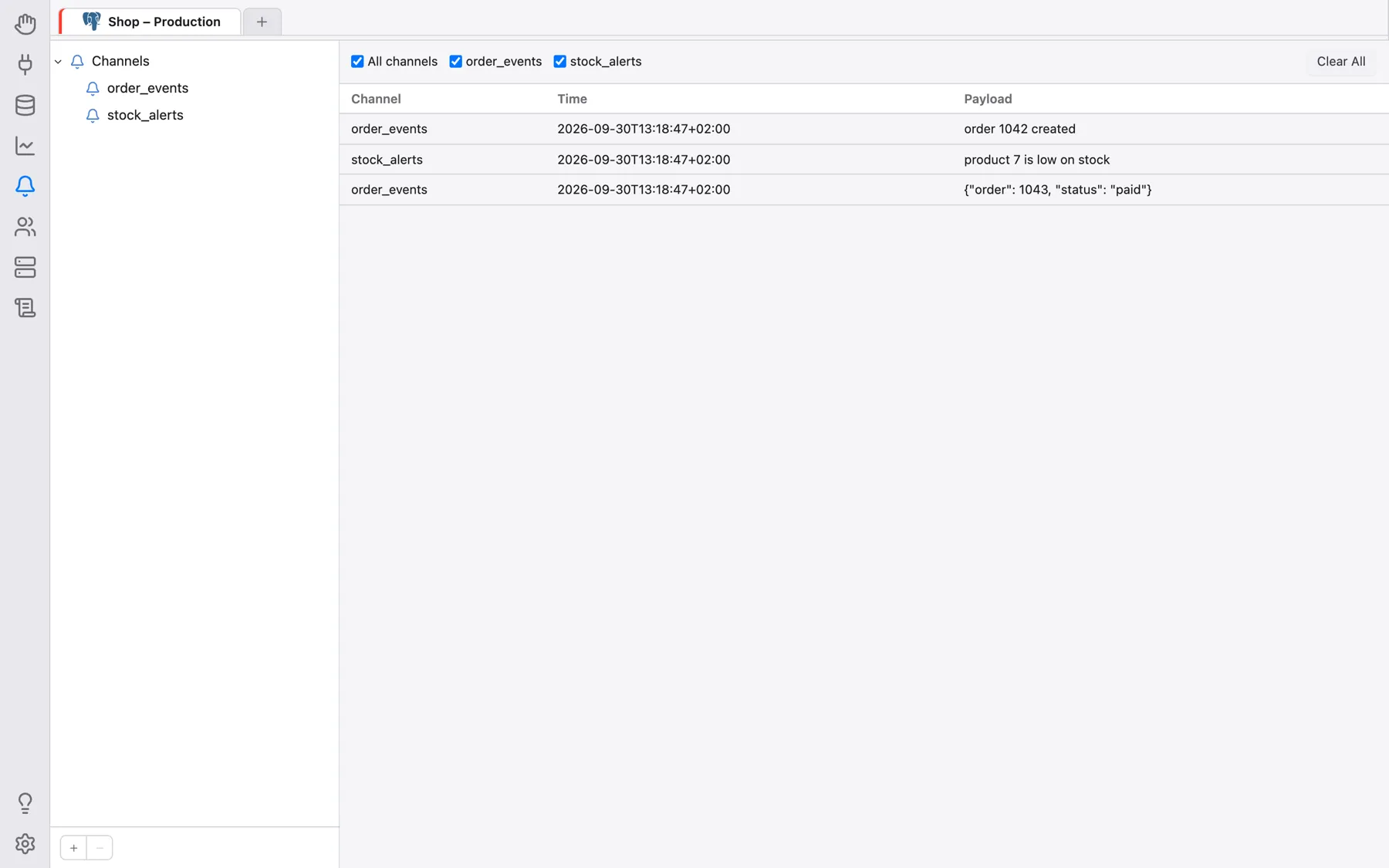
Sending a test notification
Notifications are sent with plain SQL, for example from a Query tab on the same database:
-- PostgreSQL (delivered when the transaction commits)
NOTIFY my_channel, 'hello';
SELECT pg_notify('my_channel', 'hello');

-- PostgreSQL, channel name with upper-case letters: quote it
NOTIFY "MyChannel", 'hello';

-- Oracle
BEGIN
  DBMS_ALERT.SIGNAL('my_alert', 'hello');
  COMMIT;
END;

-- Firebird (the event is posted on commit)
EXECUTE BLOCK AS BEGIN POST_EVENT 'my_event'; END